
Skip to content

Happy New Year

New Year Special!

FLAT

40%

OFF

Ends in

Days
Hours
Get Discount!
  • Pricing
  • Features
  • Docs
  • Blog
  • My Account
  • Contact
Get Started

Getting Started

  • Install and Activate eRoom Free & eRoom Pro
  • System Requirements
  • Configuring the plugin
  • License Activation
  • License Upgrading
  • Meeting Reports
  • Meetings Grid
  • How to Add Meetings to Page
  • How to Add Meetings
  • How to Add New Users

Zoom Integration

  • How to Obtain APIs
  • Webinars
  • Migration Wizard

Google Meet Integration

  • Google Meet Addon

Microsoft Teams Integration

  • Microsoft Team Integration

Purchasable Meeting

  • Purchasable Meetings Addon

Recurring Meeting

  • Recurring Meetings Addon

Hooks

  • Filter: eroom_date_timezone_display
View Categories
  • Documentation
  • Getting Started
  • License Upgrading

License Upgrading

In the eRoom, you have the option to upgrade your license to cover more sites or switch to a Lifetime plan. When upgrading from your current plan, you will only be charged a prorated amount, factoring in what you have already paid.

It can be done in two ways:

  • from eRoom Account dashboard
  • from the Pricing page

If you wish to change your plan within 30 days of purchasing the plugin, you’ll only need to pay the difference between the plan prices. However, after 30 days, you will be required to pay the full price of the new plan.

Upgrading the Plan via Account #

  1. Visit https://nocatwp.com/account/ and log in using the credentials you received when you purchased the plugin.
    In case you forgot your password, feel free to use the Forgot Your Password button to reset your password.
  2. From the dashboard, move to the Licenses tab and choose the product that you want to change the current plan.
  3. On the opened sidebar click on Upgrade to then choose the plan that you want to purchase.
  4. Proceed with the checkout process in the opened pop-up and you are done!
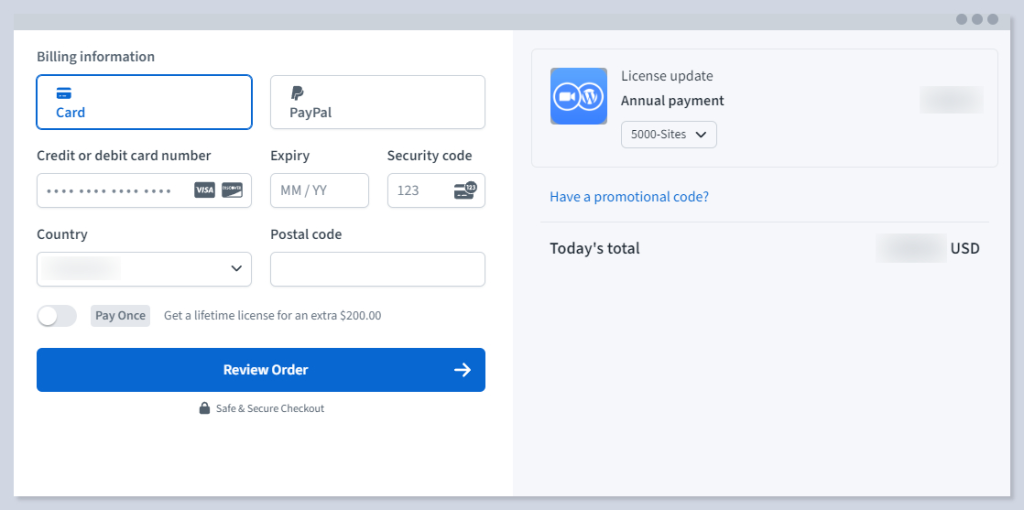
Upgrading the Plan via Pricing Page #

  1. On the https://nocatwp.com/pricing page, select the plan that best suits your needs:
  2. Click on the Renewing or Upgrading option on the opened pop-up:
  3. Enter your License key and complete the checkout

What are your Feelings

  • Happy
  • Normal
  • Sad

Share This Article :

  • Facebook
  • X
  • LinkedIn
  • Pinterest
License ActivationMeeting Reports
Table of Contents
  • Upgrading the Plan via Account
  • Upgrading the Plan via Pricing Page

Sell Zoom or Google Meet sessions directly on WordPress with eRoom. Manage, monetize, and embed meetings with ease!

Resources
Blog
Documentation
Support
Get in touch
  • support@nocatwp.com

© eRoom WordPress Plugin. All Rights Reserved.

  • Terms of Service
  • Privacy Policy