
Meetings Grid is the special feature that you can use to manage the display options of your page like specifying rows number and meeting types — simple meeting or product (available only in PRO version).
You can use a shortcode to control this option. Just go to eRoom > Zoom Settings. Find on the page Shortcodes tab.
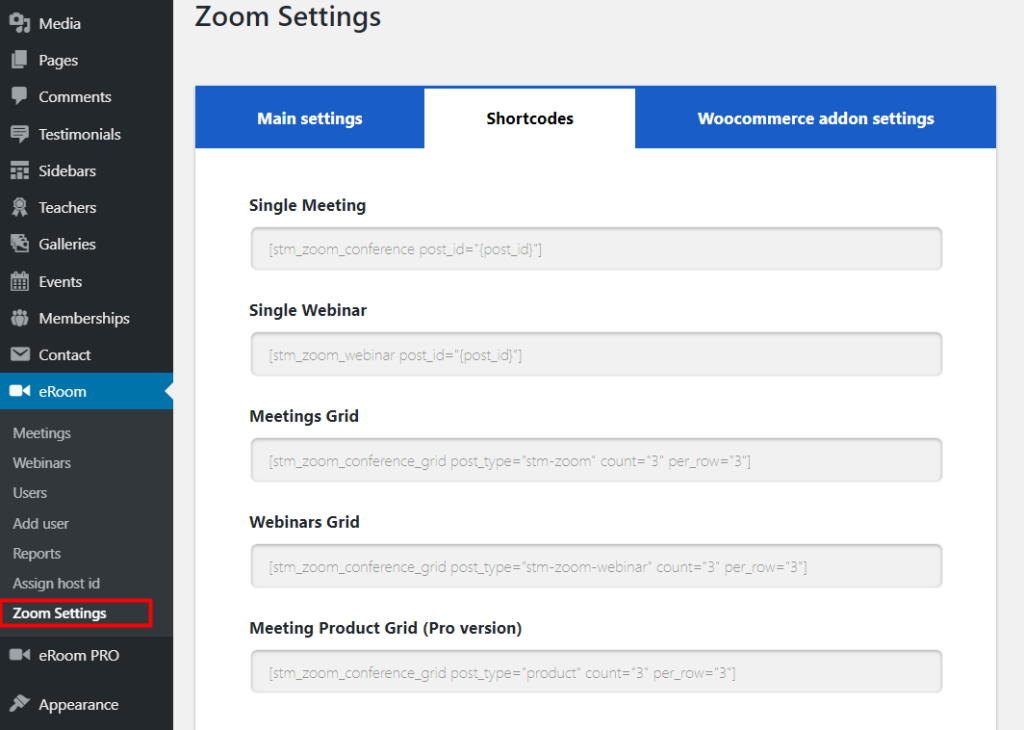
In the spaces provided enter shortcodes. There are several options available: — To paste a single meeting — To specify the number of rows for meetings grid — To specify the meetings product grid (available only in the PRO version of the plugin).
All shortcodes are available in your admin panel.
Grid Elements in Elementor and WPBakery #
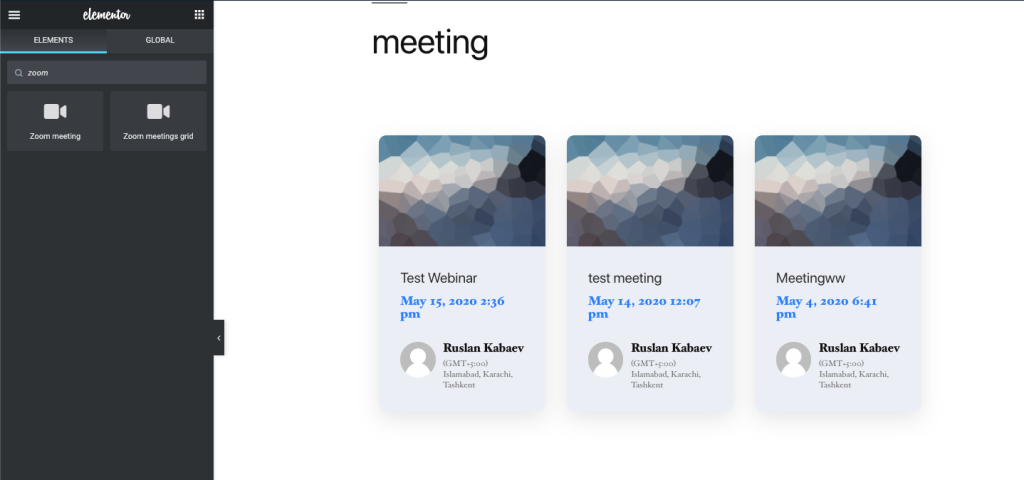
Also, you can use the element in the Elementor Page Builder — Zoom Meetings Grid
There is a Zoom Meetings Grid element available in the WPBakery Page Builder.
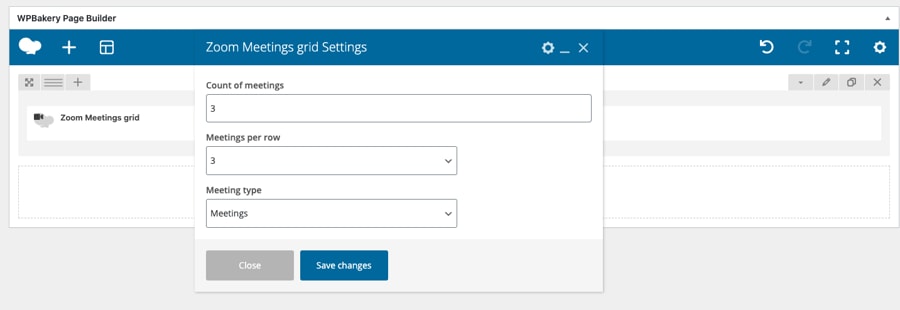
Just click on the Plus button to add an element and specify data in the settings window.


